Operating system Installed before delivery
A used computer.
A new system.
Rabaska OS replaces Windows on refurbished PCs. Light, in French, already installed. You turn it on, answer four questions, and you are on your desktop.


 FR
FR


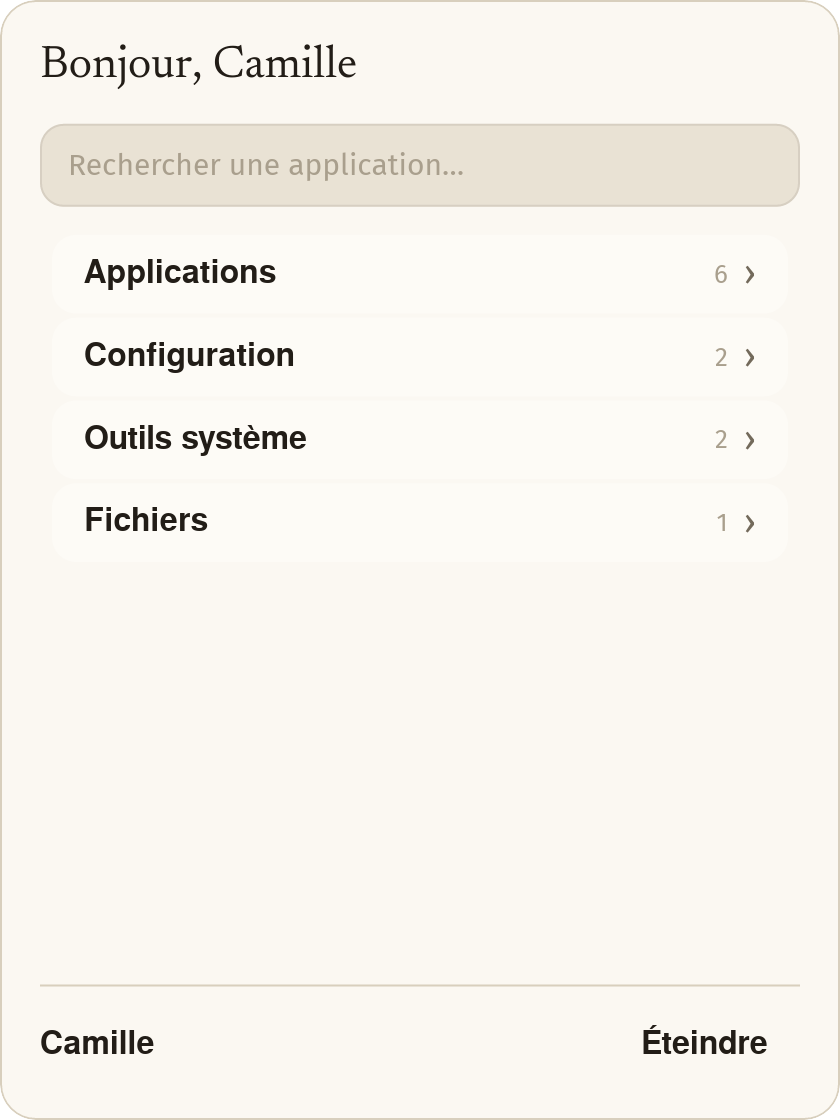
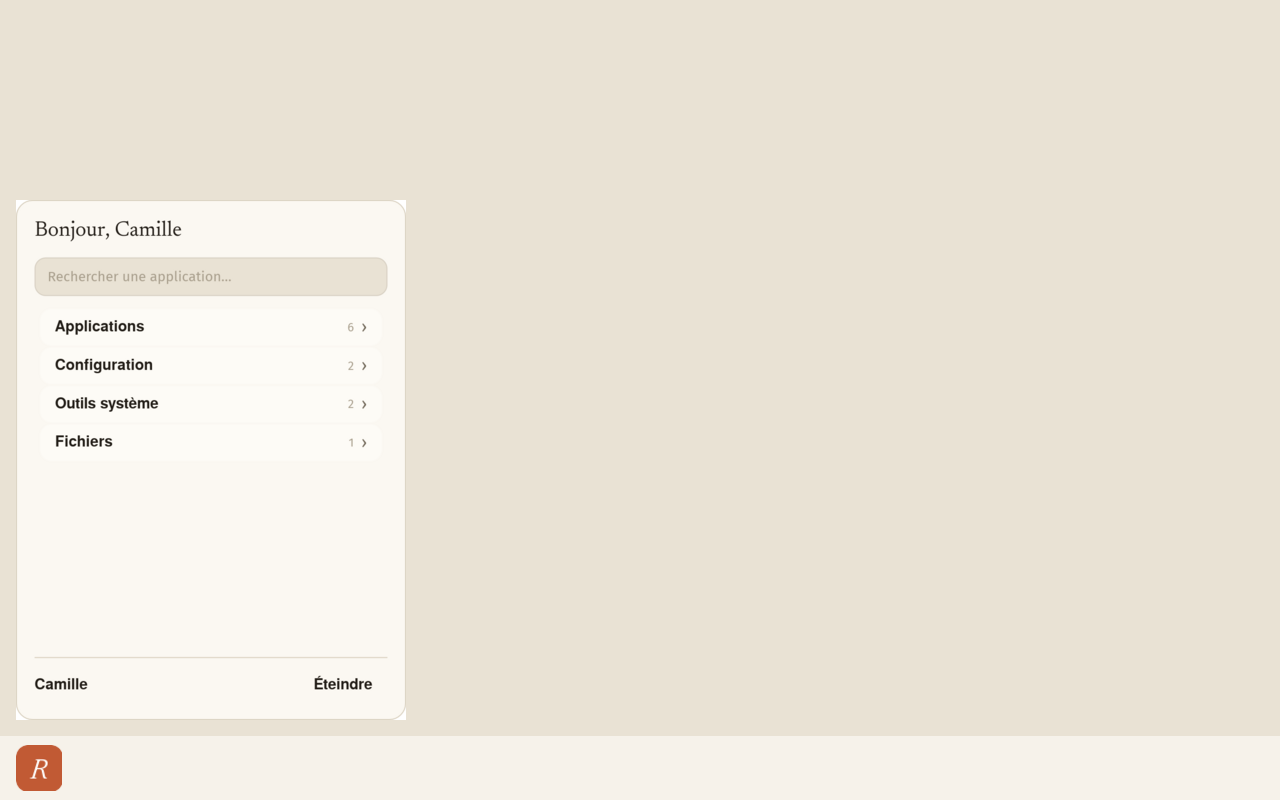
Real desktop screenshot. Click the R button: the menu opens and closes, just like on the machine.
It is the full system
Not an app added on top of Windows. Rabaska OS replaces Windows : desktop, menu, settings, updates — everything.
Built on Linux
Lubuntu 26.04 base, Ubuntu family, LXQt desktop. A known kernel, with security fixes that keep coming.
It arrives with the machine
No image to download, no USB stick to burn, no commands to type. You receive a computer that works.
Guided tour
From first power-on to first click
Four screens, in the order you will see them. These are screenshots from the machine, not drawings.
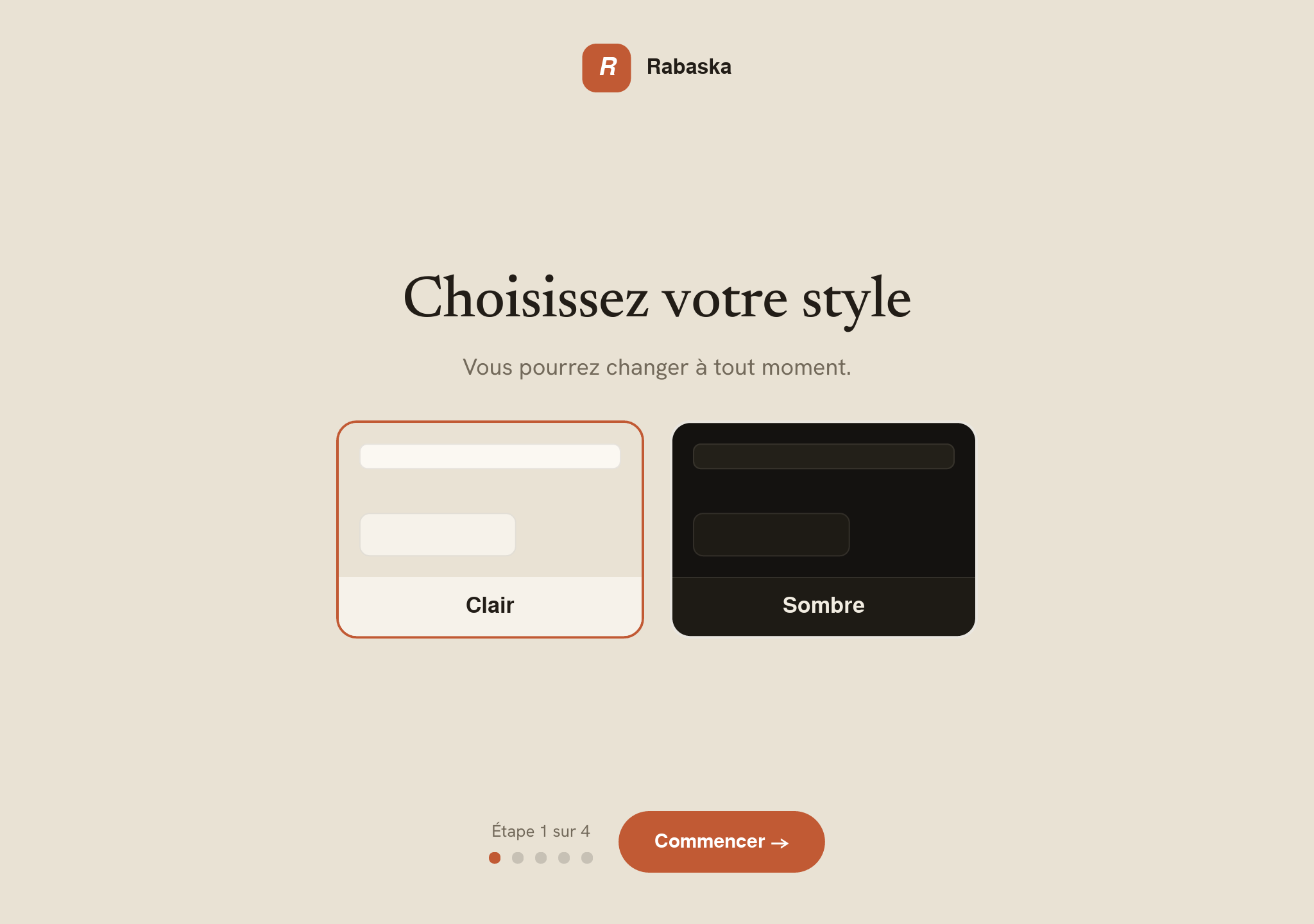
“Choose your style”
On the very first boot, the computer asks four questions : style (light or dark), text size, colours, pace. Each screen reminds you that you can change later. At the end : “Everything is ready”, then a button “Open my desktop”.
- — No account to create, no password to invent.
- — No medical label : we talk about comfort, not diagnosis.
- — The same settings later live under “Display and comfort”.
Already installed
Nothing to install on day one
Everyday programs are there, and they have French names in the menu.
.exe files. Many fail — especially games and large apps.
Microsoft Edge is not preinstalled : its licence forbids it. A shortcut lets you install it yourself. Ubuntu snap packages are removed — Firefox and Chromium come from official .deb repositories, faster to start on an older machine.
Everyday use
Known software : what works well, what causes trouble
So you can decide before you buy. An indicative everyday list ; for a specific case, we check with you.
Native or excellent experience
Works well
- Browsers Chrome, Firefox, Brave, Edge, Opera.
- Office LibreOffice, OpenOffice, Acrobat Reader (PDF), Microsoft Office on the Web.
- Multimedia YouTube, Spotify, VLC.
- Communication Zoom, Discord, WhatsApp (Web or Desktop), Slack, Teams (Web / PWA).
- Utilities GIMP, Audacity, Transmission, Google Drive in the browser.
Many video services are used in the browser. Quality and experience depend on the service and the machine — used-PC fleet, not 4K.
Incompatible or problematic
Avoid or replace
- Microsoft Office desktop 2019, 2021, and Microsoft 365 (activation). Prefer Office on the Web, or LibreOffice.
- Adobe Creative Cloud Photoshop, Premiere, Illustrator, Lightroom. Alternatives : GIMP or Photopea (browser).
- Recent games with anti-cheat Fortnite, Valorant, Call of Duty, Roblox, League of Legends — no.
- Windows accounting and tax software Closed Windows-only tax or accounting apps. Web portals still work.
- iTunes for Windows The Windows app does not install. Music and media : browser, Spotify, or VLC.
Comfort and accessibility
Four questions, and the screen fits you
We talk about comfort, never diagnosis. No labels. And everything can change later under “Display and comfort”.
Style
Light
Dark
The same desktop, two moods. A button in the bar switches styles anytime.
Text size
Everything grows together : menu, windows, messages. Not just a zoom on one part of the screen.
Colours
Three real palettes, not a filter laid over the screen. Light or dark style stays independent.
Pace
Some people tire quickly : fewer animations, less on screen, more open text. That is comfort, not a label.
Screen reader (Orca) and on-screen keyboard stay on demand — never forced on day one. On a 360° convertible laptop, the on-screen keyboard opens by itself when the screen is folded back.
Updates and security
One button. No terminal.
The window sorts what arrives into three groups, in French, with the update count for each.
The Linux base keeps receiving Ubuntu-family security fixes. Without the seller channel, the Rabaska layer stops evolving. Lubuntu’s original notifier is still present : you may see two invitations for a while.
The assistant lives at Google
The Assistant button opens Gemini in a browser window. Google account and internet required. No artificial intelligence runs on your machine.
Where software comes from
Official .deb repositories (Ubuntu, Mozilla). Snap packages are removed. The Rabaska layer comes from one channel : the seller’s.
Secure Boot kept
The signed bootloader is left alone. The machine starts the way the maker intended.
Honest comparison
Rabaska OS or Windows, on the same old machine
We will not claim it is better everywhere. Here are both columns, side by side.
If you need a specific Windows program, a recent game, or 4K : keep Windows. We will tell you before the sale.
Technical sheet
What sits underneath, without rounding
Rabaska OS is not a kernel invented from scratch : it is a closed layer on a known Linux. Here is the real stack, as built.
Lubuntu 26.04 image (Ubuntu family, 64-bit). LXQt desktop, Linux kernel, Calamares installer, SDDM login screen, Plymouth boot splash. Secure Boot kept.
Default : LXQt on Wayland, labwc compositor (rounded top corners, 12 px). No drop shadows : blur costs too much on a small CPU. Fallback : LXQt on X11 with Openbox.
Cream and terracotta theme, Hanken Grotesk and Newsreader fonts. Start menu (search, four families, Shut down), day-one assistant, French update window, pinned LXQt bar.
Refurbished x86-64 PCs. Design target : little memory, a worn disk, a slow CPU (AMD C-50 class 1 GHz, 2 GB). At boot, a service tunes the disk scheduler and ZRAM. Not ARM, not Apple.
YouTube in Chromium with hardware decode (VA-API) when the GPU allows. Spotify and many video services in the browser. Typical quality on this fleet : about 720p — not 4K.
On a 360° convertible that reports tablet mode to the kernel, an on-screen keyboard (squeekboard) opens. On an ordinary laptop, nothing extra runs — no virtual keyboard “just in case”.
Ubuntu snap packages are removed : Firefox and Chromium come from .deb repos. A Linux software store (Discover) may be present ; it is not a phone app store.
Linux and base programs keep their original licences (often GPL). Theme fonts are OFL. Gemini belongs to Google. The Rabaska layer — look, menu, assistant, updates — is proprietary.
Limits
What Rabaska OS does not do
The main limit
This is not 4K.
Screen, graphics card, CPU : this is a used-PC fleet. Video runs around 720p. If you want a 4K workstation or recent games, this is not the right product — and we will say so.
Buyer questions
The ten questions people ask us
Contact us
A question, a clear need ?
Tell us what the machine must do. We answer honestly, even when the answer is “no”.